

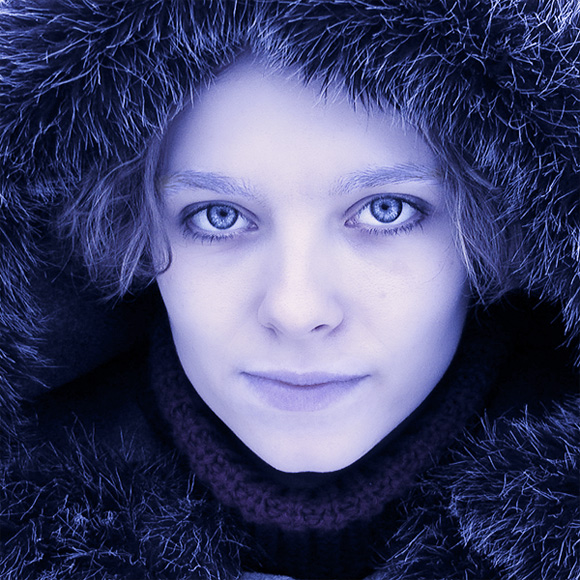
significantly paler. Surprisingly when you will be going over the eyebrows, it will give you an effect of them being gently and naturally covered with snow. I recommend to go over the eyebrows with your dodge tool only once, while it’s Range set to “midtones” and Exposure to “26%”. The trick is to make it look natural and to avoid having white lives over the face. If you did it right, you should get something like this so far:
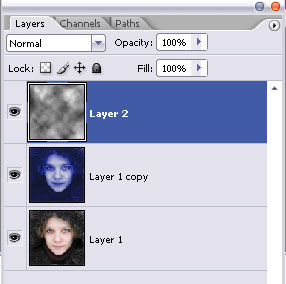
Next step. Press “D” to set your foreground and background colors to black and white. Make a new layer on top of the other two and fill it with black. Go to Filter >> Render >> Clouds and apply the clouds effect. Set this layer’s opacity to about 50% and if you see that the result is not exactly as you see below (this could depend on your clouds layer or the lightness / darkness of your photo), try playing with settings, Overlay or Soft Color might work.
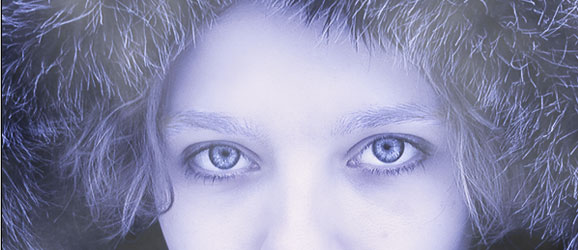
Duplicate your clouds layer.
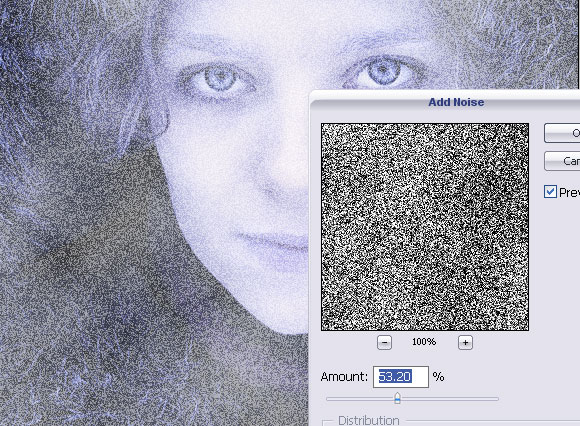
Go to Filter >> Noise >> Add Noise, and add noise as set below.

[…] Read More… […]
nice
From this tutorial I learn a new technic in a photo.
Thanks for pswish.com for publish it.
I am having alot of trouble getting her lips to turn blue and her eyebrows to frost. I’m using CS4. It’s really frustrating me because i love the outcome of your tutorial.
[…] Arctic Face Photo Effect – A neat tutorial for creating an arctic-looking face. […]
[…] Arctic Face Photo Effect – A neat tutorial for creating an arctic-looking face. […]
[…] Arctic Face Photo Effect – A neat tutorial for creating an arctic-looking face. […]
[…] Arctic Face Photo Effect – A neat tutorial for creating an arctic-looking face. […]
[…] Arctic Face Photo Effect – A neat tutorial for creating an arctic-looking face. […]
I have Photoshop Elements 7 and nothing happens when I press D, but I make another layer and fill it black then the whole picture becomes dark blue.
It’s probably something to do with that whole foreground thing right?
How do I change that, the same way that was done in the beginning?
very very handy for Magazine cover designers ….nice one …thanks for sharing