

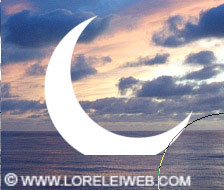
…and here comes the hardest part, manual labour. Select the smudge tool
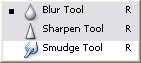
We used soft edged brush 9 px, but you may use a bigger one, depending on the size of your moon.
Press the Shift button, once your cursor is exactly on the right line, and “brush” the moon’s edges out a few times, so that u will make these small lines, coming out of the moon’s cut edge. This should imitate the reflection of glow against the water.
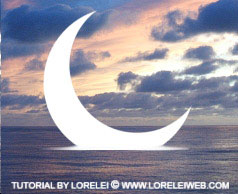
If you managed to reach a result close to what we did here, duplicate the layer of your moon (Layer >> Duplicate Layer…). Transform your layer vertically (Edit >> Transform >> Flip Vertical). Drag it down a bit, so that it will fully “reflect” the first layer.
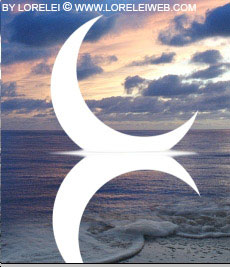
Set the opacity of the flipped layer to about 30%. Could be less or more, depending on the colour of your water.
Now, select the Smudge tool again, but this time with a bigger radius, lets say 19 px. Make a few chaotic straight horizontal lines across the reflection of the moon, distorting it. Try to get the effect like we achieved on the picture below, as if the waves break the shine from the moon…
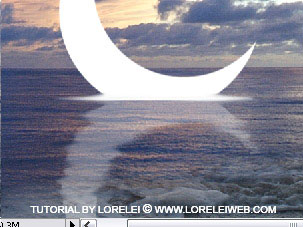
Select the Eraser Tool, approximately 100px (or more) with soft edge, and remove about half of the reflection, to give it a more natural effect, as nothing gets reflected fully, when you look from the side…

just a small cheerful note: If you managed to get this far, it won’t go wrong from here!

Great article . Will definitely copy it to my blog.Thanks.
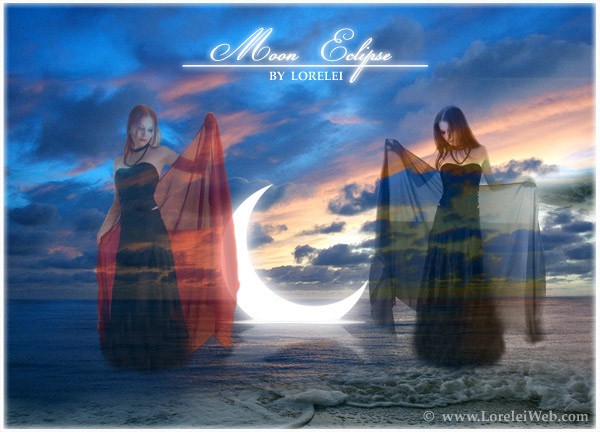
[…] “Fairy and Sunset Landscape“, “Mysterious moonlit landscape“, and “Sinking Moon Eclipse” (and some others)… I hadn’t much time recently and therefore made very little […]
[…] Sonra DeviantArt için Ay Tutulmas? yap?lm?? olmas?, bu bir kaç kez ö?retici ve I vermek ve s?rr? if?a karar yazmak – nas?l “etkisi” batan ay yapabilirim istendi. Ben yeniden çal??t?, ancak do?al olarak özde? olmak dönmedi … Umar?m bu disappointingly basitti ke?fetmek vermeyecektir resmi olu?turun. Yine de, bu tut daha ileri düzey kullan?c?lar için … Zaten söylemeliyim, bugün bu ?aheseri yapacak: […]