

Home / PS Tutorials

PS Tutorials · Tutorial

Design Animated Digital Clock With Live LCD interface

PublishedDecember 15, 2009
Reading time3 min
Filed underPS Tutorials
Design Animated Digital Clock With Live LCD interface - PS Tutorials Lorelei Web Design Design Animated Digital Clock With Live LCD interface — December 15, 2009

Design Animated Digital Clock With Live LCD interface - PS Tutorials Lorelei Web Design

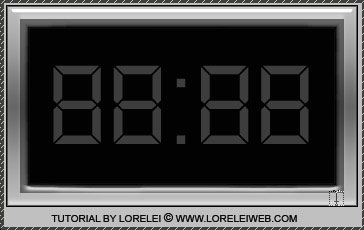
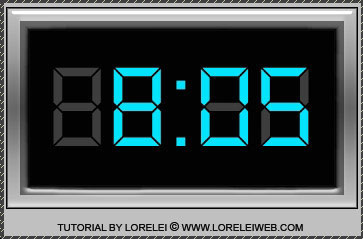
Duplicate the typing tool layer. On the duplicated layer, type different digits, for instance – 6:05. Use an eye hurting blue colour of your choice. WE used #04e3fd, but you can use a different hue, even green or red color in the first place.

Make sure that your new layer lays exactly over the grey digits. You can add a bit of outer glow with the same blue colour if you want, to make it more shiny, but it’s not a must.
Design Animated Digital Clock With Live LCD interface - PS Tutorials Lorelei Web Design

Save this image to a NEW folder in your computer, and call it 1.jpg

So, this is your first pic…
Design Animated Digital Clock With Live LCD interface - PS Tutorials Lorelei Web Design

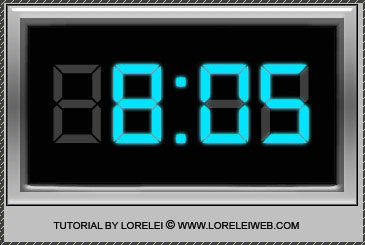
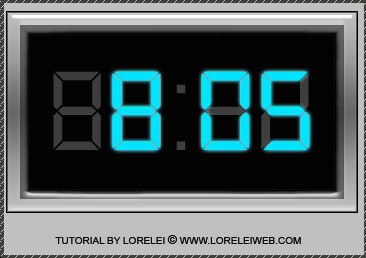
Now, remove the blue dots between the digits… (leave the grey layer on the background intact)
Design Animated Digital Clock With Live LCD interface - PS Tutorials Lorelei Web Design

and this will be your image nr. 2, save it as 2.jpg to the new folder where the first image is stored.

Open ImageReady.

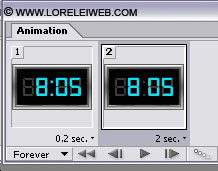
Go to File >> Import >> Folder as Frames… and select the folder where your two images are located.

Set these time settings for the animation.
Design Animated Digital Clock With Live LCD interface - PS Tutorials Lorelei Web Design

Ans save optimized as .GIF file (don’t forget, you can only save animations as gif files.)

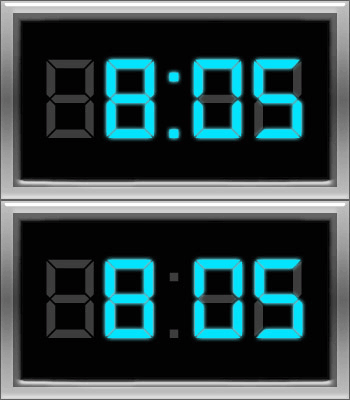
That’s it, here is your result! Hope your enjoyed the tutorial!

Design Animated Digital Clock With Live LCD interface - PS Tutorials Lorelei Web Design

Written by

Elizabeth Lorelei Sramek

AI results optimization architect and SEO expert with 20+ years of experience. Crafting strategies that outrank, outperform, and outlast.

4 responses

  1. r.saisumita August 21, 2010

    thank u

    Reply
  2. 15+ Cool Animation Photoshop Tutorials | Tutorials Share | Tutorials, Resources & Tips for Designers! October 10, 2011

    […] 7. DESIGN ANIMATED DIGITAL CLOCK WITH LIVE LCD INTERFACE […]

    Reply
  3. Cool Animation Photoshop Tutorials | VapvaruN | Wp Experts October 13, 2011

    […] 7. DESIGN ANIMATED DIGITAL CLOCK WITH LIVE LCD INTERFACE […]

    Reply
  4. 15+ Cool Animation Photoshop Tutorials – Design Bump October 8, 2014

    […] 7. DESIGN ANIMATED DIGITAL CLOCK WITH LIVE LCD INTERFACE […]

    Reply

Leave a response