

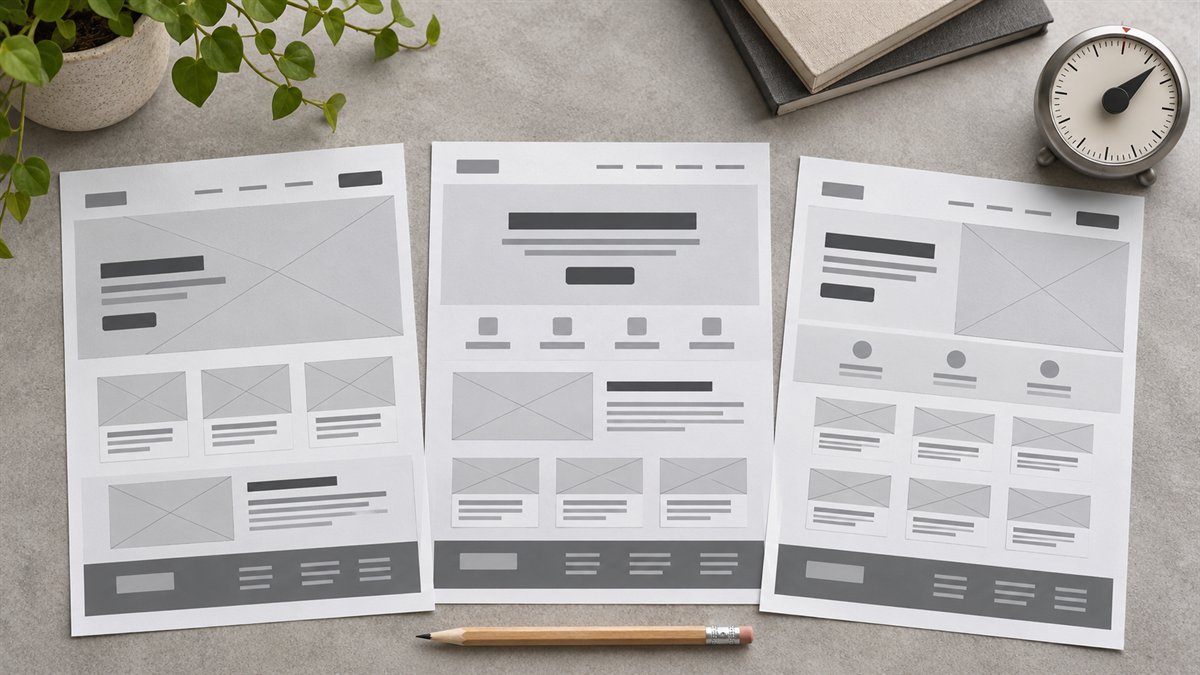
A homepage wireframe is a plan for what a visitor sees and can do, not a collection of fashionable sections. The useful output names the order of information, the job of each section, and the action a visitor can take. It can be plain text before it becomes a visual mockup.
First, identify which WordPress homepage you have
WordPress can show recent posts or a static page on the homepage. In block themes, a Front Page template can also control what appears there. Check Settings → Reading and, where available, Appearance → Editor → Templates before you turn a wireframe into instructions. WordPress’s static front page guide and template documentation explain the distinction. A prompt that assumes a static sales page will be unhelpful for a blog home that primarily lists articles.
Prompt for a static homepage
Give the model the real offer, visitor question, and available proof. This example is a brief to adapt, not a claim about an existing site:
Plan a text-only wireframe for a WordPress homepage for [business and service]. The main visitor is [audience] who needs to decide [decision]. The primary action is [action]. Available evidence: [actual examples, credentials, or none]. Required pages: [links]. Use only these facts. For each section, give its purpose, suggested heading, content needed, and one suitable WordPress block or pattern. Put the answer to the visitor’s main question near the top. Do not add testimonials, statistics, awards, or services that are not in the brief. Flag missing content instead of inventing it.
Review the resulting order. A service homepage may need a clear offer, who it is for, what the visitor receives, evidence, and a contact route. Those are questions to answer, not mandatory sections. If there is no genuine testimonial or case study, use a concrete explanation of the service rather than a placeholder “What clients say” block.
Prompt for a blog homepage
A publication homepage has a different job: help readers find the right article or topic. Give AI the real categories and a sample of current posts, then ask: “Propose a homepage order for a WordPress blog with these categories and posts. Show where featured articles, recent posts, topic navigation, and search would go. Explain what each area helps a reader find. Do not invent article titles. Keep the first screen useful on a phone.”
For a block theme, a Query Loop can display posts, but its output depends on the template and query settings. Check the actual site before promising filters or dynamic sections the theme does not have.
Turn the outline into a buildable wireframe
- Replace placeholders with real copy. A box marked “compelling headline” hides the hardest content decision.
- Mark the primary action once. Repeated buttons with different labels can obscure what the visitor should do.
- Check the mobile order. A two-column desktop sketch may stack the supporting image before the explanation. Decide which should come first.
- Map each section to the theme. Use existing blocks and patterns where they fit; reserve custom design work for a real content need.
- Inspect the rendered page. Template spacing, navigation, and responsive behavior can change what the wireframe implied.
The fastest editorial check is to ask what would disappear if you deleted each proposed section. If no reader question, proof, or navigation route is lost, the section has no reason to be on the homepage.
