

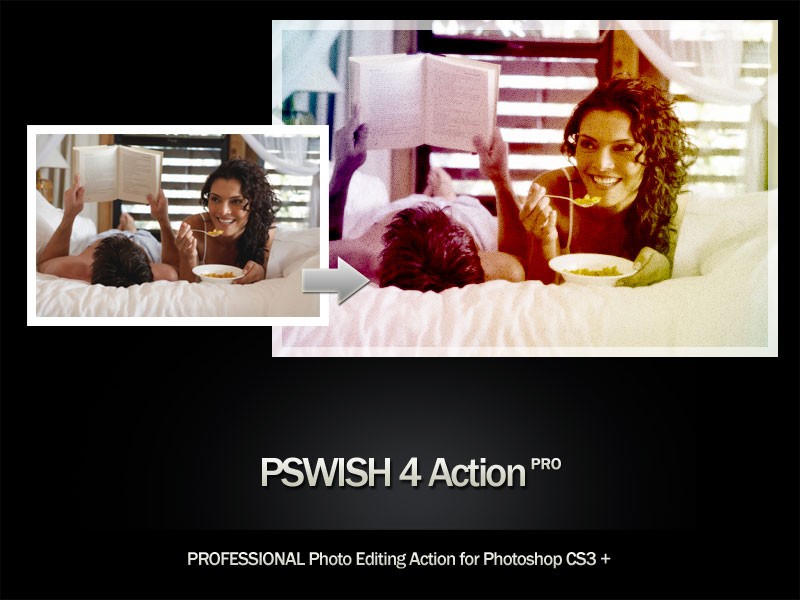
After there were a few complaints about the previous action we released where people could not get the colors to work right, we decided to fix this bug with out new “PSWISH Action 4 pro”, which works on fixed colors defined in the action itself. You are going to love this one, really. Any boring, dull, lifeless shot you have can be turned into a vivid, professionally retouched photo, just like you sometimes see in photography showcase galleries but have no idea how they have done that. So what does this action actually do? First of all, it fixes contrast, so dark photo become vibrantly yet naturally bright, however, we don’t use any mask layers to fix the dark fields. Next, it adds light rainbow overlay of colors that blend in perfectly with the content of your original photo. lastly, it adds very mild grain / sand effect, which as you know is very popular among professional photographers.
If you want to share this action, please link to this page, and not to the direct download. Also, needless to remind not to sell, offer free or redistribute this action under your own credits. All credits for this action creation are reserved to LoreleiWebDesign.com. Photos used below are stock photos are are used for demonstration purposes ONLY.
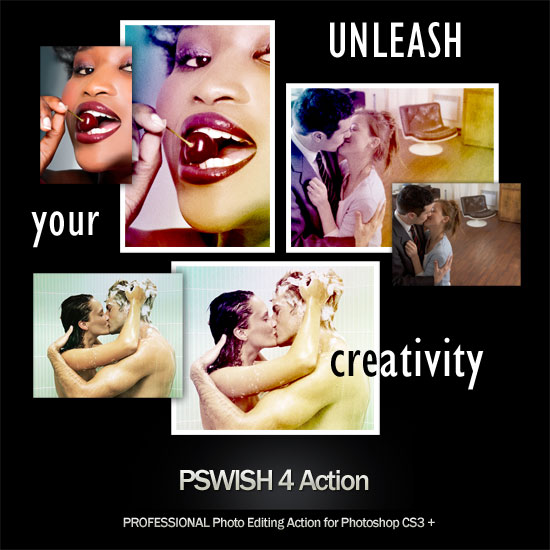
Click on the following examples, to full view. As always, downloading is 100% free.


Worked for me in Photoshop CS2. Thank you!
Thanks for the feedback, Isaiah!
[…] Source and Read More: pswish.com […]
I placed the PSWISH4 Action in CS4 Plugins
and It did not show up in CS4.
How do I make this plugin work?
Please Advise.
Thanks!!
FWIW, I downloaded this for use with PSE7 and it works great! I wasn’t sure what the effect(s) would be till I ran the Action but turning the layers on and off gave me a variety of choices till I found one I liked. Interesting.
Caesar, unfortunately I don’t have CS4 so I can’t really tell, sometimes actions won’t work with a certain version because of the commands used, which doesn’t exist in certain edition of Adobe.
Steve, glad it worked for you and thanks for the comment!
Hi, nice posts there 🙂 thank’s for the interesting information
Thank you, wonderful
Where should i download the Action??..and how do i activate it??
The way to get a free blog post…
I don’t know if you know about that, but it is possible to get a free blog post absolutely for free.
The site http://merfins.com is giving a posibility to get a blog post on their site absolutely for free.
You will get a dofollow links on PR2 blog at this time.
The way how to do this:
– Register on this site
– Login
– Go to Posts>Add New
– Add your article with up to 3 links to your sites
– Wait till your article will be approved
I think that is really great way to get free backlinks to your site. 😉