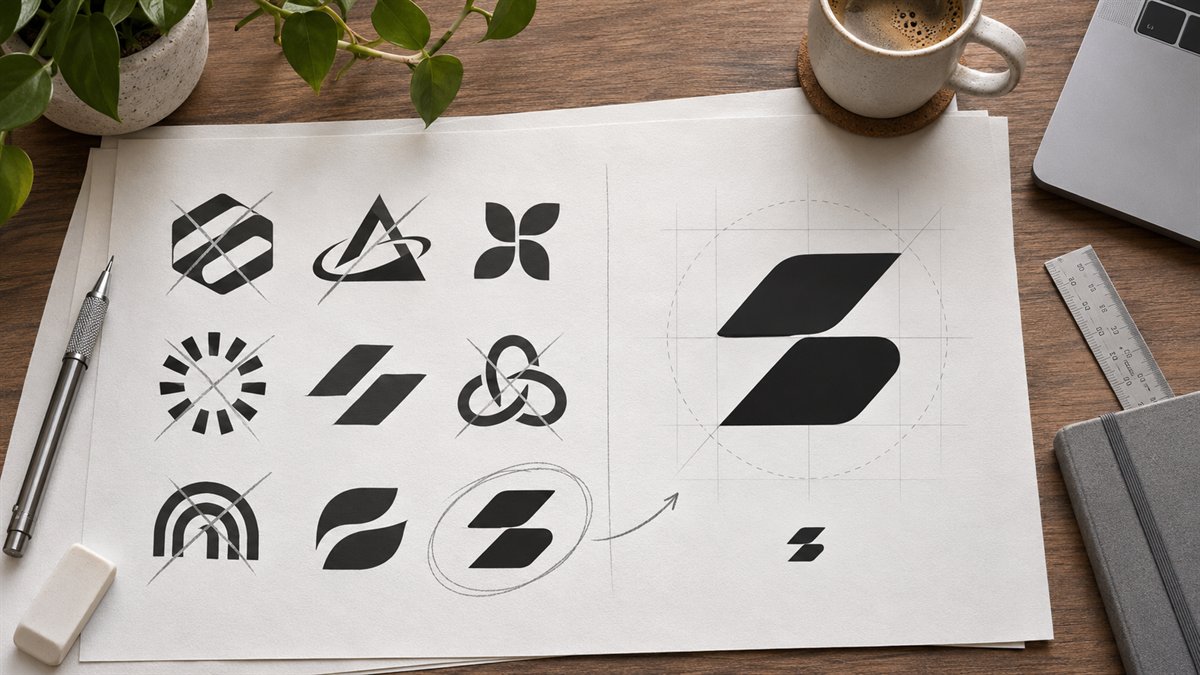
A logo needs to work in places where a dramatic preview does not: a site header, a small social avatar, an invoice, and a monochrome print. That makes early concept work useful only if it leads to a mark that can survive simpler conditions.
Write a brief before generating concepts
Describe the business, audience, name, and where the mark will appear. Add what the business should be known for, and name visual clichés to avoid. “Make a modern logo” invites the usual abstract shapes. A better brief might say: “Explore wordmark directions for a repair studio called [name]. The mark must be legible in a narrow website header and on a small service label. Avoid tools crossed into an X, generic lightning bolts, and tiny illustrative detail.” This is an example brief, not a logo for an actual business.
Use Canva’s ideas to compare directions: wordmark, initial, or symbol plus name. Do not treat the first polished option as proof that it is distinctive. Put concepts next to the business name and real page copy, not just on an attractive mockup.
Filter by use, not by polish
- Small size: Reduce the mark to the size of a mobile header or avatar. Can the name or identifying shape still be read?
- One color: Remove gradients and effects. Does the mark retain its form in black or white?
- Plain background: Test it without a dramatic mockup. Does it still have a reason to exist?
- Consistency: Look for mismatched line weights, awkward letter spacing, or an icon that feels unrelated to the type.
- Ownership: Identify whether the design uses a shared template, stock graphic, generated element, original drawing, or commissioned work.
Understand Canva’s logo restrictions
Canva’s trademark logo guidance says its logo templates and stock content are available to other users and do not provide exclusive rights. Its Content License Agreement also restricts using Canva Content as part of a trademark or business mark, with an exception for fonts. Canva describes creating an original logo from scratch with simple free shapes and fonts, or uploading an original mark, as routes to consider when trademark registration matters. The rights in a particular finished mark depend on what went into it; review the current terms and get qualified advice if registration or a contested brand name is at stake.
For a temporary personal project, a shared template may be an acceptable starting point. For the central identity of a business, exclusivity and distinctiveness matter more. Keep a record of the elements used so that the final mark’s origin is clear.
Take a selected direction into design work
Rebuild the chosen idea as an editable mark. Fix letter spacing by eye, simplify details that vanish at small size, and prepare horizontal and compact versions only if both are needed. Test on the site’s actual header and a plain document. A logo concept is ready to advance when its form, use, and source materials are clear—not when a mockup makes it look established.
Canva’s logo and content-license pages were checked on 3 November 2026; terms can change.
