

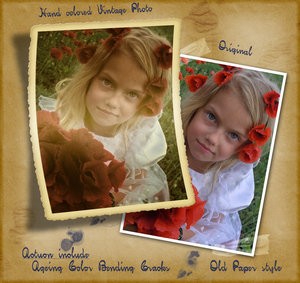
The so-called “vintage” effect is becoming more and more popular, however, not everyone knows how exactly to achieve it. It takes more than a mere sepia effect and adding grain-like, semi-visible noise. So, allow me to introduce: Hand-coloured Vintage Photoshop action. Action includes: Aging; Colour; Cracks; Bending and as a bonus you have the facility of adding Old Paper Style effect. Moreover, bending the photo, as well as adding the shadow, gives the picture not only a vintage-like result, but also a very nice 3D effect. This can ideally work for a minimalistic wallpaper, portfolio website layout or a collage.
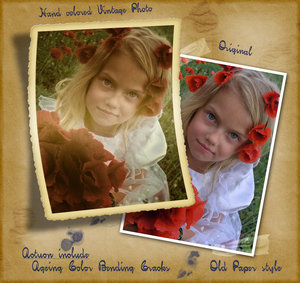
TIP! If you want to see all the steps in the action and learn something (actions are great learning tools), check the “step by step” or “pause for XXX sec” on the playback options. Commands within an action can be also toggled on or off, giving you the option to play each command or bypass recorded commands within the action during playback.
Download the action over artist’s page here. Please remember that this action is for personal use only, if you wish to make use of it for commercial purposes, you need Jenny’s permission.

[…] any photo a 60s or 70s look with this action set.Professional Photo Retouching Actions from PSWishVintage Photo Frame action.35 gorgeous black wallpapers collected by Abduzeedo.10 Beautiful Free Stock Images from […]
Thank you, wonderful
Fantastic