

This tutorial will teach you how to create a stylish and eye-catchy Surfing Fashion Label Tag. As I live in a country where surfing is quite popular, I can confidently assure you that surfing fashion is different from other fashion brands, you will never mix a surfing fashion store with any other, both by color and style, so let’s get started..

Step 1.
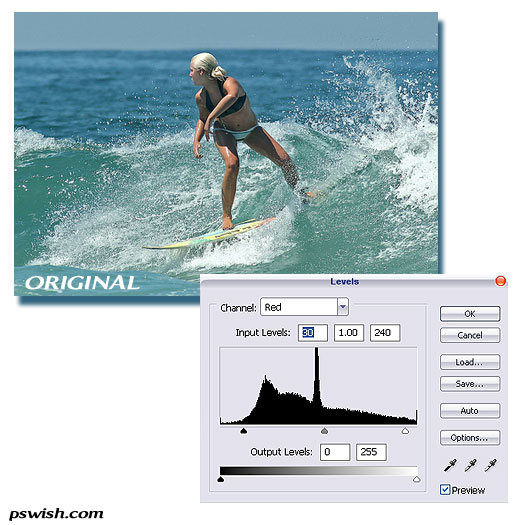
Pick a photo with a surfer. We picked a surfer girl (original photo by Chris Aschenbrener), and since our photo did not have a very strong contrast, we modified the levels a little bit.
Step 2.
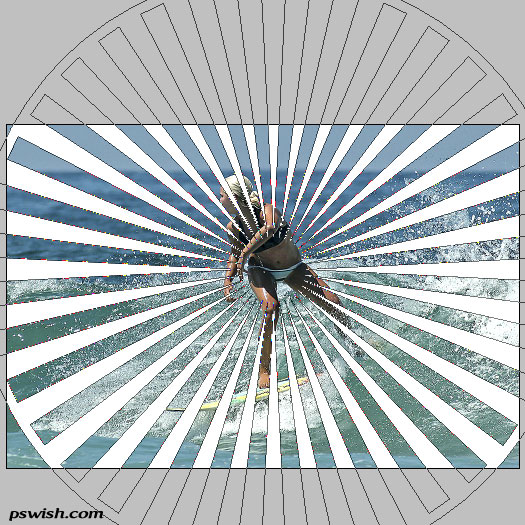
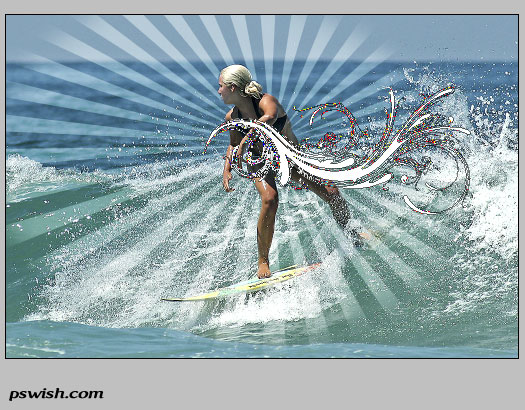
Now we want to add sun rays that “shine” from the main character or figure. So create a new layer, and using the custom shape tool, select the shape called “Registration target 2” (comes default in Photoshop), draw a circle as shown on the image below.
Leaving the rays just like this would be too plan and simple, so we decided to create a more of a 3D, “in motion” effect and align the rays in same angle as the surfer slides down the waves.Press Ctrl + T and Right mouse click >> Distort. Pull the angles of the circle more or less as shown below to create the flying effect.
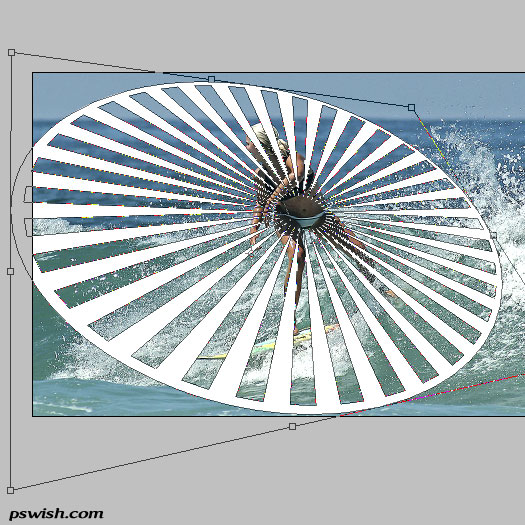
Press Enter to leave the shape as you distorted it.
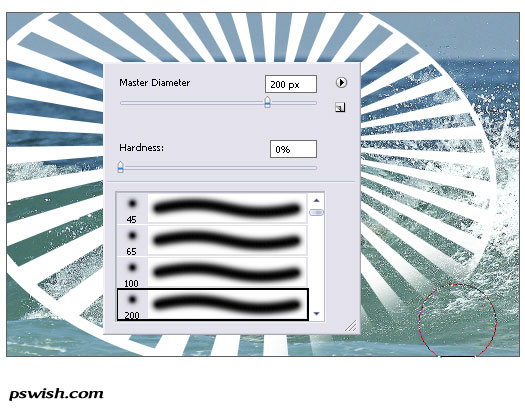
Resterize the layer with the shape so that you’d be able to erase parts of it, and using the soft-edge big eraser brush, remove the edges of the rays to create a natural fading beams effect. Also, remove the parts of the rays that go over the main figure.
Finally, set the blending options of the rays layer to Soft.

Step 3.
Adding twirly shapes. Choose any of the twirly (or other shapes you like) that you have in your Photoshop collection and, using a new layer, draw a medium size shape. If you like the shape we used here, you can download it in PSD format, please not that this is a shape so you can enlarge it to any dimension you want without losing quality.




This is incredible. Thanks
I am really loving those tones used in the border, it caught my instantly
I found your site with stumbleupon and this Tut is very usefull and clear, I´ll back again…sure.
That is an awesome work bro… !
Really nice tutorial, will have to give it a try.
fantastic
I loved it. Thanks!
shape tool,“Registration target 2? download link
I think the are to much elements in the picture.
please…custom shape tool,Registration target 2? download link
I loved it. Thanks you
Nice one, tnx! *hang-loose* 😉
Hi, my daughters would like to create a surf label brand, and we would like to know how would get a start with our ideas please? We saw the young teenager on the television and know it is possible. My girls are very art orientated and have ideas to share with the world. We would like know how to be successful in this industry! Do we first have put together a portfoio on own ideas them have them secured and get a factory to make them or a sponsor ? We really would like to get a head start on this one please! Is there a website that can show us the way to the top?
Thanks for listening, we will still continue to search for answers Thanks Donna Bennett
great tutorial!Thanks
very nice tutorial – different than the usual fare and well explained – thanks a bunch!
Hey bro, wanna chill? The design elements dont seem to match, unless you really did intend for such a sharp contrast. Maybe you should tone down on the spirals.
this is very super
I dont understand what the “blurred” layer/duplicate photo does or adds to the image…can you explain more?
i think they should have printable versions of these tuts lol
This is great i definately need to try this one.